You can quickly view
the active database data for a particular company by
following these steps: Company Data
display.
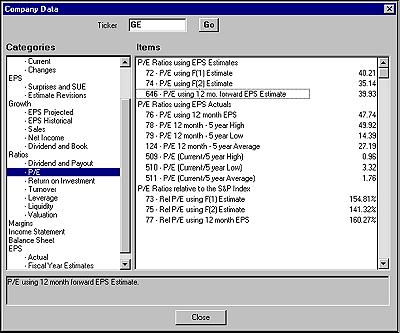
You can quickly view the active database data for a particular company by following these steps:
- From the Report menu, click Company Data.
- The Company Data window appears. This window displays all current database items.
- Type the company's ticker symbol in the Ticker box and click Go.
- The data for all items in each category will be displayed. As you browse each category, the item information for the company will be changing accordingly.
Company Data display.