|
Adding Multiple Period Items to Report |
To add
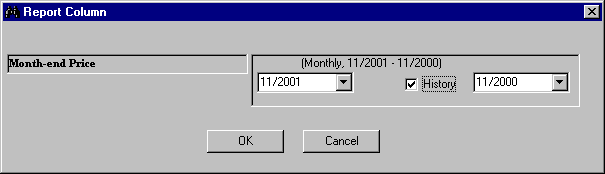
a multiple period items to the report, follow these steps: 1. Select
a multiple period item
from the Item list (Example:Month-end Price for 13 months). 2. From
the Report menu, select the Add Database Item command or click
the Add Database Item button. 3. At
the Column Report menu, click the History check box to display available
time periods. (To learn more about time periods, follow this link:
Understanding
Data Time Periods). 4. Click
OK. 5. The
specific time periods will be added to the Report Definition
table. 6. Save
your report definition.