|
|

|
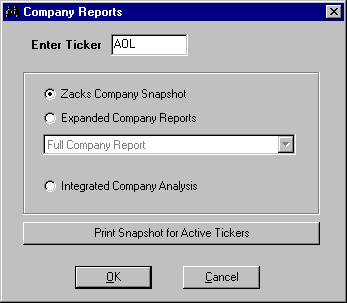
Click the
Snapshot button from the Research Wizard
display to access the Company Reports menu.
There you can perform several tasks:
|
|
|
- Access
Zacks Company Snapshot
- Access
Expanded Company Reports
- Access
Zacks Integrated Company Analysis
application
- Print
Snapshot for Active Tickers
|
|
|
|
|
|
|
The Zacks
Company Snapshot
is a single company report featuring company description,
actual and estimated EPS, company vs. industry ratings,
fundamental data, broker recommendations and price
charts.
The Expanded
Company Reports,
displayed in your browser, give you the access to the
company's fundamental data, insiders data, and company's
general information.
If you have another
Zacks product - Integrated
Company Analysis,
you can have an instantaneous link to that
module.
You can also
print
Zacks Company Snapshot
report for tickers that passed your screen or are in your
Active Ticker List.
|